process-mining
2023.10
false
- Before you begin
- Getting started
- Integrations
- Working with process apps
- Working with dashboards and charts
- Working with process graphs
- Working with Discover process models and Import BPMN models
- Showing or hiding the menu
- Context information
- Export
- Filters
- Sending automation ideas to UiPath® Automation Hub
- Tags
- Due dates
- Compare
- Conformance checking
- Root cause analysis
- Simulating automation potential
- Triggering an automation from a process app
- Viewing Process data
- Creating apps
- Loading data
- Customizing process apps
- Publishing Dashboards
- App templates
- Additional resources
- Out-of-the-box Tags and Due dates
- Editing data transformations in a local environment
- Setting up a local test environment
- Designing an event log
- Extending the SAP Ariba extraction tool
- Performance characteristics


Process Mining user guide
Last updated Apr 23, 2026
Overview of menus and dashboards
Introduction
Each menu item in a process app based on the Order-to-Cash app template offers different dashboards containing information and analysis functionality that is focused on a specific area of the Order-to-Cash process. The dashboards contain charts that can present the data in various ways.
Menus and dashboards
The Order-to-Cash app template contains the following default menus and related dashboards.
| Menu | Dashboard |
|---|---|
| Summary | Summary- Summary |
| Analysis | Analysis - End to end process Analysis - Event Analysis |
| Efficiency | Efficiency - Customers |
Showing or hiding the menu
When you open a process app, the menu is displayed by default. Follow this step to hide the menu.
- Select the
 button.
Context Information
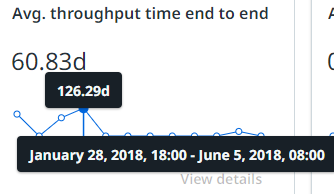
Context information for the charts and KPIs from Order-to-Cash process app is available by hovering over a chart. See the illustration below for an example.