


- 入门指南
- 通知
- 许可
- 故障排除
- 连接器生成器
- Act! 365
- Active Directory - 预览版
- ActiveCampaign
- Adobe Acrobat Sign
- Adobe PDF 服务
- Amazon Bedrock
- Amazon Connect
- Amazon Polly
- 亚马逊 SES
- Amazon Transcribe
- Amazon Web Services
- Anthropic Claude
- Asana
- AWeber
- Azure AI 文档智能
- Azure Maps
- BambooHR
- Box
- Brevo
- Calendly
- Campaign Monitor
- Cisco Webex Teams
- Citrix Hypervisor
- Citrix ShareFile
- 清除位
- Confluence Cloud
- Constant Contact
- Coupa
- Customer.io
- Datadog
- Deputy
- DocuSign
- 水滴
- Dropbox
- Egnyte
- Eventbrite
- Exchange Server - 预览
- 汇率
- Expensify
- Facebook
- Freshbooks
- Freshdesk
- Freshservice
- 获取响应
- GitHub
- Gmail
- 谷歌云平台
- Google 文档
- Google 云端硬盘
- Google Maps
- Google 表格
- Google 语音转文本
- Google Tasks - 预览
- Google 文本转语音
- Google Vertex
- Google Vision
- Google Workspace
- GoToWebinar
- Greenhouse
- Hootsuite
- HTTP Webhook - 预览
- HubSpot CRM
- HubSpot Marketing
- HyperV - 预览
- iContact
- Insightly CRM
- Intercom
- Jira
- Keap
- Klaviyo
- LinkedIn
- Mailchimp
- MailerLite
- Mailgun
- Mailjet
- Marketo
- Microsoft 365
- Microsoft Azure
- Microsoft Azure Active Directory
- Microsoft Azure OpenAI
- Microsoft Dynamics 365 CRM
- Microsoft OneDrive 和 SharePoint
- Microsoft Outlook 365
- Microsoft Sentiment
- Microsoft Teams
- Microsoft Translator
- Microsoft Vision
- Miro
- NetIQ eDirectory
- 奥克塔
- OpenAI
- Oracle Eloqua
- 关于 Oracle Eloqua 连接器
- Oracle Eloqua 身份验证
- Oracle Eloqua 事件
- Oracle NetSuite
- PagerDuty
- 贝宝
- PDFMonkey
- Pinecone
- Pipedrive
- QuickBooksOnline
- Quip
- Salesforce
- Salesforce Marketing Cloud
- SAP BAPI
- SAP Cloud for Customer
- SAP Concur
- SAP OData
- SendGrid
- ServiceNow
- Shopify
- Slack
- SmartRecruiters
- Smartsheet
- Snowflake
- Stripe
- Sugar Enterprise
- Sugar Professional
- Sugar Sell
- Sugar Serve
- System Center - 预览
- 探戈卡
- Todoist
- Trello
- Twilio
- VMware ESXi vSphere
- WatsonX.ai
- WhatsApp Business
- WOO COMMERCE
- 可行
- Workday
- X(以前称为 Twitter)
- Xero
- YouTube
- Zendesk
- Zoho Campaigns
- Zoho Desk
- Zoho Mail
- Zoom 信息


Integration Service 用户指南
Oracle Eloqua 身份验证
先决条件
为了能够创建与 Oracle Eloqua 的连接,您的关联帐户需要以下客户体验营销凭据:
- 公司名称
- 用户名
- 密码
您可以在欢迎电子邮件中找到这些确切的值。
添加 Oracle Eloqua 连接
要创建与 Oracle Eloqua 实例的连接,您需要执行以下步骤:
-
从 Automation Suite 中选择“Integration Service”。
-
从连接器列表中选择OracleEloqua 。您也可以使用搜索栏来缩小连接器的范围。
-
选择“添加连接”按钮。注意:用户在 60 秒内不能与 UiPath 创建多个连接。这是创建与 Oracle Eloqua 的 OAuth 2.0 连接时的限制。
-
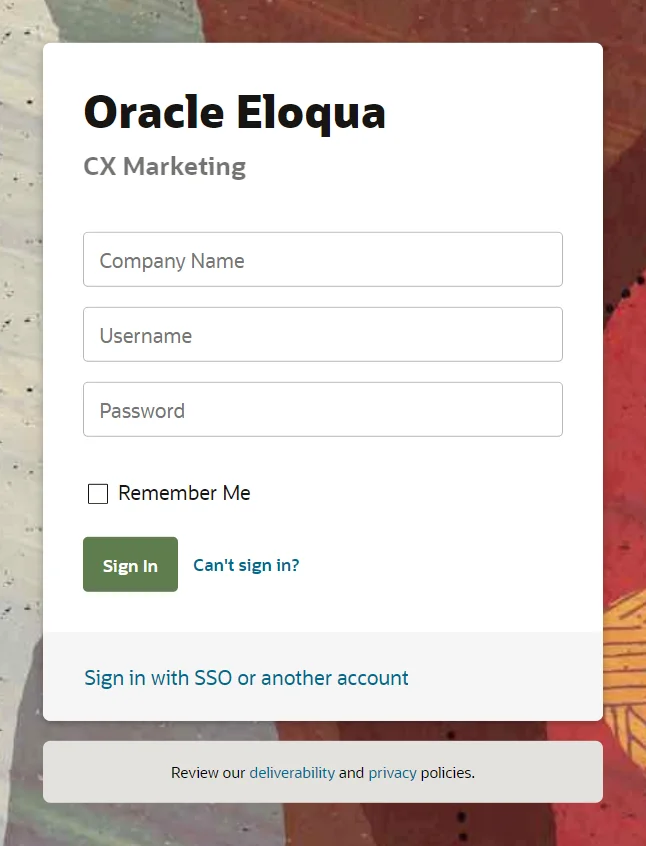
You are now redirected to the Oracle Eloqua sign in page. Select Login.
-
Enter your CX Marketing credentials for your associated account and select Sign In.
-
You are informed that UiPath for Eloqua has requested permission to access Oracle Eloqua on your behalf. Select Sign In.
-
接下来,选择“接受” 。
-
已添加您的连接。
有关 Oracle Eloqua 的更新信息和更多详细信息,请访问“Oracle Eloqua 入门”页面。
如果要创建私有应用程序并使用 BYOA 身份验证,请按照以下步骤操作:
- 在身份验证页面上,选择齿轮图标,然后选择“自带 OAuth 2.0 应用程序”

- 提供私有 OAuth2 应用程序的客户端 ID 和客户端密码,然后选择“连接”。
- 请按照上一个教程的步骤 4-7 操作“添加 Oracle Eloqua 连接” 。
要创建私有 OAuth2 应用程序,请按照 Oracle Eloqua 文档中提到的步骤操作,即Oracle Eloqua 开发者指南。
作用域和权限
您可以使用该连接在 UiPath Studio 中启用Oracle Eloqua 活动,为用于列表、联系人和段管理的自动化构建流程。以下是可以实现的各种基于权限的用例:
| 作用域/权限 | 用例 | 活动/事件 |
|---|---|---|
必须是“ full ”,或者不提供 | 作为用户,我希望能够像在 Oracle Eloqua App GUI 中一样访问所有资源/对象。 | 取决于用户在 Oracle Eloqua App 中的访问权限。 有关所有可用的活动/事件,请参阅连接器文档的“活动”部分 |


