
data-service
2022.10
false
Data Service User Guide
- Getting started
- Setup and configuration
- Using Data Service
- Reference
- Examples & Tutorials
Yes/No
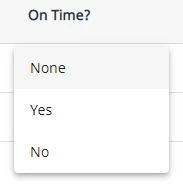
A Yes/No field is used to choose between a Yes or No value.
Note:
The option None is available in case the field is not required. If selected, it leaves the field value empty.
Details
Below is an overview of the details that can be specified to define a Yes/No field.
| Property | Description | Required | Default Value |
|---|---|---|---|
| Default Value | Enables you to specify a default value for the Yes-No field. The default value can be changed in the Data tab. | No | |
| Description | Enables you to enter a short text to describe the purpose of the Yes-No field. The Description is displayed in Fields tab. | No |
Representation in UiPath® Studio
A Yes/No field is imported as Boolean in your project.